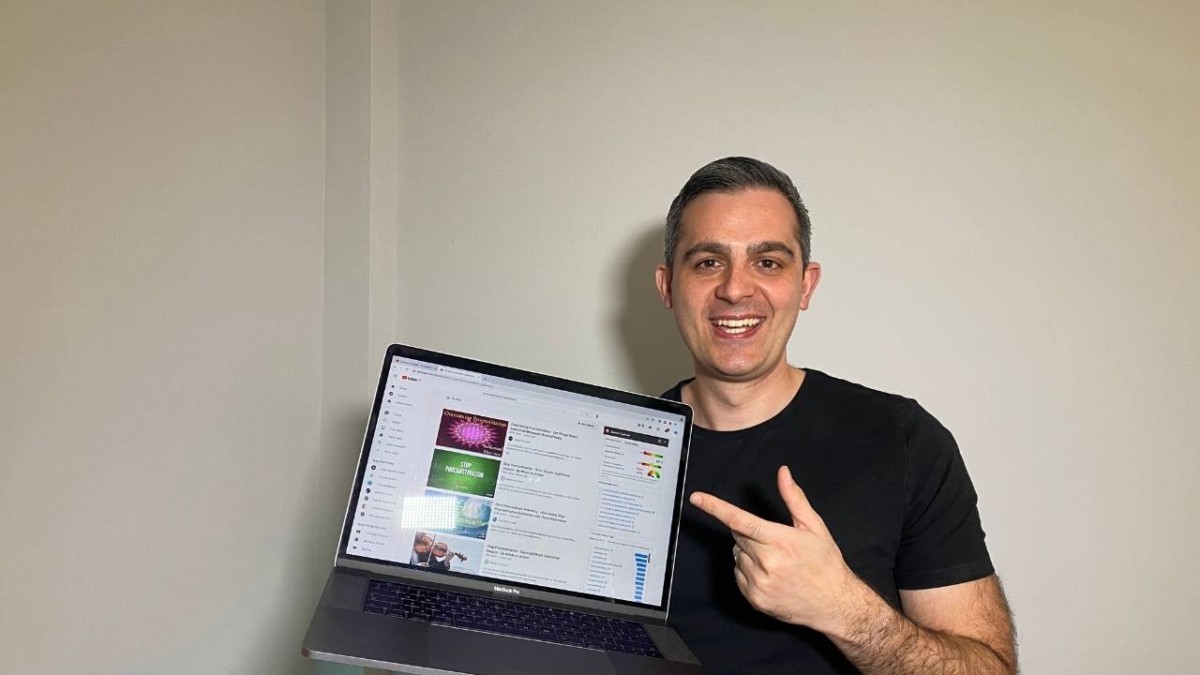
I've been making my own subliminals for years. I've used them to work towards my goals, break habits and shift my mindset, simply by listening to a personalised subliminal for 30 minutes or more as I fall asleep.
Making subliminals used to be complicated. Today, with AI tools like ChatGPT, Gemini and Claude and the recorder on your phone, you can create a personalised subliminal in under an hour, for free. In this guide, I'll show you the exact process: from choosing the type of subliminal to writing your affirmations with AI, recording them, and listening the right way.
What You Need to Make Your Own Subliminal
a smartphone (iPhone or Android) with a voice recorder;
an AI chatbot such as ChatGPT, Gemini or Claude, to help you write affirmations;
a free audio app: BandLab on your phone, or Audacity on a computer;
royalty-free background music or nature sounds;
headphones, ideally comfortable ones you can sleep in.
Step 1: Choose Your Type of Subliminal
Before you write anything, decide which type of subliminal you want to make. This affects how you record, edit and listen to it.
Audible Affirmations
Your affirmations are clearly audible, usually over soft music. This is the easiest type to make and the best choice for beginners. You know exactly what you're listening to.
Masked Subliminals
Your affirmations play at a very low volume under music, rain or ocean sounds, so you can barely hear them. This is the most popular type of subliminal, and you can make it entirely on your phone.
Silent Subliminals
Your affirmations are shifted to a high frequency (around 17,500 Hz), so most adults can't hear them. You'll need a computer and Audacity to make them. Keep in mind that some younger listeners can still hear a faint tone at this frequency, and that YouTube and some speakers may cut these high frequencies out.
Visual Subliminals
Your affirmations appear as text or images in a video, often flashing briefly on screen. These are popular on YouTube, but they only work while you're watching, so they aren't suitable for sleep.
My recommendation: start with audible or masked affirmations. They're the easiest to make, and you can be sure your affirmations are really there.
Step 2: Choose One Specific Goal
Many people fail with subliminals because they aren't clear about what they want, or they try to change everything at once. The most important stage is choosing one specific goal. Popular subliminal goals include:
confidence and self-esteem;
attracting money and abundance;
reducing stress and feeling calmer;
healthy habits and weight loss;
focus and motivation for studying or work;
attracting love or a specific person;
changes in appearance (these goals are very popular, but results are much more controversial).
Create one subliminal for one goal. Listening to several subliminals for different goals at the same time spreads your focus. Here's why you shouldn't listen to multiple subliminals at once.
Note: subliminals are not a treatment for anxiety, depression or any health condition. If you're struggling, please speak to a doctor or therapist.
Step 3: Write Your Affirmations With AI (ChatGPT, Gemini or Claude)
Your affirmations are the heart of your subliminal. The ideal number is 12 to 15: any more, and they become less focused. Good subliminal affirmations:
are written as if you've already achieved your goal;
start with "I", "me" or "my";
are positive, with no negative words like "not" or "never";
include emotional, exciting words;
are no longer than 15 to 20 words;
feel believable to you.
AI chatbots are great at this. Copy the prompt below into ChatGPT, Gemini or Claude, and fill in the parts in brackets:
I'm making a personal subliminal audio for this goal: [your goal, e.g. "feeling confident when speaking at work"].

Write 15 affirmations for it. Rules:
- First person, starting with "I", "me" or "my"
- Present tense, as if the goal is already achieved
- Positive only: no "not", "never", "don't" or "no"
- Maximum 15 words each
- Emotional, vivid words, but still believable
- Each affirmation should cover a different aspect of the goal
- No medical or health claims

Some context about me: [e.g. "I'm 24, I work in marketing, and I get nervous in meetings"].

Return only the numbered list.
Example output for a confidence goal:
I speak with confidence and calm in every meeting.
My ideas are valuable, and I share them with ease.
I feel relaxed and grounded when people listen to me.
I trust myself and my abilities completely.
My voice is clear, steady and strong.
Then make them yours. Read the list slowly and delete or rewrite any line that doesn't feel right. If an affirmation feels too far from reality, soften it: "I am becoming more confident every day" works better than a statement your mind rejects. I like to finalise my affirmations before bed, sleep on them, and make last changes in the morning.
Tip: ask the AI to "turn these affirmations into a script for reading aloud, with a short pause after each line". This makes recording much easier.
Step 4: Record Your Affirmations
You have two options:
Option A: Record in Your Own Voice (Recommended)
Many people find their own voice feels the most personal and believable. Use the built-in recorder on your phone:
iPhone: the Voice Memos app;
Android: your phone's Recorder or Voice Recorder app.
Recording tips:
record in a quiet room, holding the phone 15 to 20 cm from your mouth;
speak slowly, calmly and with feeling, as if each affirmation is already true;
repeat your full list 3 to 5 times, so you have a longer track to loop.
Option B: Use Text-to-Speech
If you don't like hearing your own voice, you can use a text-to-speech tool or an AI voice generator. Paste in your affirmations, choose a calm, warm voice, and download the audio file.
Step 5: Turn Your Recording Into a Subliminal
How you do this depends on the type of subliminal you chose in Step 1.
On Your Phone: Audible or Masked Subliminals (BandLab)
Install BandLab (free on iPhone and Android) and create a new project.
Import your affirmation recording as the first track.
Import your background music or nature sounds as the second track (see Step 6).
Copy your affirmation track so it repeats for the full length of the music.
For audible affirmations, set the affirmations slightly quieter than the music. For a masked subliminal, lower the affirmation volume until you can barely hear it.
Export the mix as an MP3 or WAV file.
On a Computer: Silent Subliminals (Audacity)
Audacity is a free audio editor for Windows, macOS and Linux. To make a silent subliminal, you need a converter plugin that shifts your affirmations to 17,500 Hz. You can download the exact one I use here.
Background music makes your subliminal pleasant to listen to, especially at night. Choose something calm and without lyrics: soft piano, ambient music, rain, ocean waves or white noise.
Use royalty-free sources, such as the YouTube Audio Library, Pixabay Music or Free Music Archive. Downloading songs from YouTube or streaming services can break copyright rules, especially if you plan to upload your subliminal to YouTube.
Step 7: Save Your Subliminal: Phone or YouTube?
Once your track is ready, you have two main options for storing and playing it.
Option A: Keep It on Your Phone (Best for Sleep)
Save the file to your phone (Files on iPhone, or your Downloads folder on Android).
Play it with a free player that supports repeat and a sleep timer, such as VLC.
Works offline, with no ads and no loss of quality, which matters most for silent subliminals.
The simplest version: record your affirmations as a voice memo and play it on repeat. It isn't as polished, but it works, and it takes five minutes.
Option B: Upload It to YouTube (Easiest to Access)
YouTube needs a video, so combine your audio with a still image in a free app like CapCut, then upload it.
Set the visibility to Private (only you can watch) or Unlisted (only people with the link can watch).
Use the loop option in the video player settings, so it repeats all night.
Keep in mind two downsides. First, YouTube compresses audio and may remove very high frequencies, so it's not ideal for silent subliminals; audible and masked subliminals work much better there. Second, on mobile, YouTube stops playing when you lock your screen unless you have YouTube Premium.
How long: at least 30 minutes, ideally about 90 minutes, which covers roughly one sleep cycle.
Sleep timer: on iPhone, open the Clock app, choose Timers, and set "When Timer Ends" to "Stop Playing". On Android, use the sleep timer in your music player.
Volume: keep it low and comfortable. Loud audio all night can harm your hearing.
Headphones: recommended, especially for silent subliminals, but you can also listen without headphones through a speaker near your bed. A sleep headband is the most comfortable option.
Consistency: listen every night for at least 3 to 4 weeks before judging the results.
Watch the step-by-step video on YouTube
Don't Want to Make It Yourself?
If this feels like too many steps, I offer a personalised subliminal service, where I write the affirmations and create the track for you, built around your goal.
FAQ
Can I make subliminals on my phone only?
Yes. You can write affirmations with AI, record them in your phone's voice recorder and mix them with music in BandLab. The only type that needs a computer is a silent subliminal.
Is it better to use my own voice or an AI voice?
Many people prefer their own voice because it feels more personal, but an AI voice works too. Choose whichever you're more comfortable listening to every night.
Are subliminals on YouTube safe to use?
Your own private upload is safe, because you know exactly what's in it. With other people's videos, you can't be sure what's inside, so learn how to spot a fake subliminal.
How long does it take for a subliminal to work?
Most people need several weeks of consistent listening. Results vary, and belief and action play a big part.
Conclusion
Making your own subliminal has never been easier. Choose the type, pick one goal, write 12 to 15 affirmations with the help of AI, record them on your phone, add calm music, save the track to your phone or YouTube, and listen every night. To understand why subliminals can help you reprogram your mind, read my complete guide to subliminal messages.